CogniNote — SaaS Platform for Therapists
Full-stack development of an AI-powered clinical note-taking and therapeutic follow-up SaaS
Tech Stack
Context & mission
CogniCorp is a Montreal-based company specializing in technology solutions for psychology and well-being. During a 3-month freelance mission, I worked in a duo with a friend to build CogniNote from scratch — a SaaS platform for intelligent clinical note-taking and patient follow-up, designed for psychologists and therapists.
The need: modernize clinical note-taking, automate session report writing with AI, and improve patient follow-up between appointments.
Overview
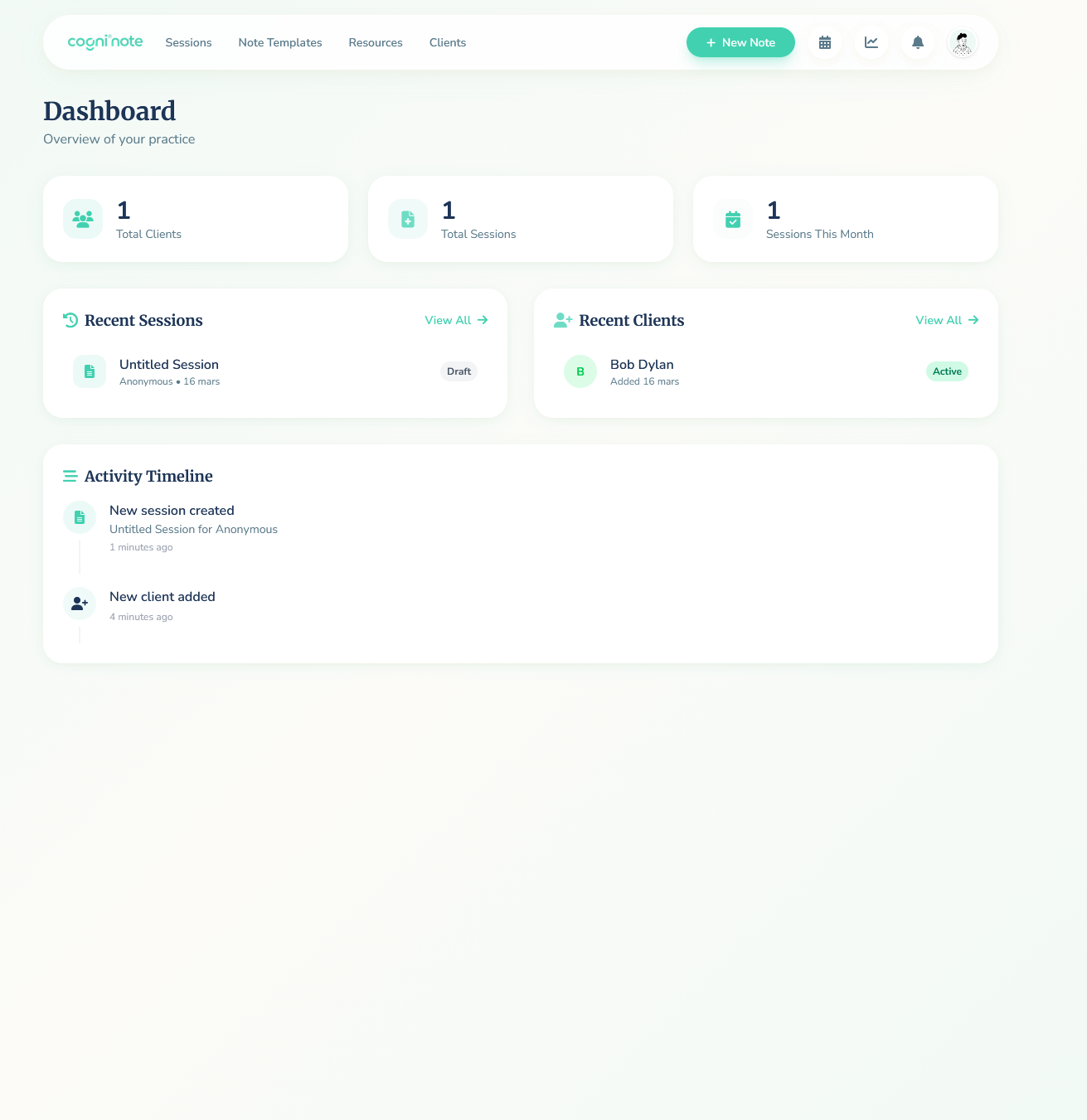
CogniNote is a dual-interface platform with a therapist interface (consultations, notes, patient management) and a patient interface (between-session follow-up, homework, daily chatbot).
flowchart LR
T[🧑⚕️ Therapist] --> FT[Therapist Interface<br/>Vue.js]
P[🧑 Patient] --> FP[Patient Interface<br/>Vue.js]
FT --> API[⚡ REST API<br/>FastAPI]
FP --> API
API --> STT[🎙️ STT &<br/>Diarization]
API --> LLM[🤖 LLM<br/>Summaries & Chat]
API --> RAG[📚 RAG<br/>Recommendations]
API --> SA[📊 Sentiment<br/>Analysis]
API --> DB[(PostgreSQL)]
API --> VDB[(Vector Store)]
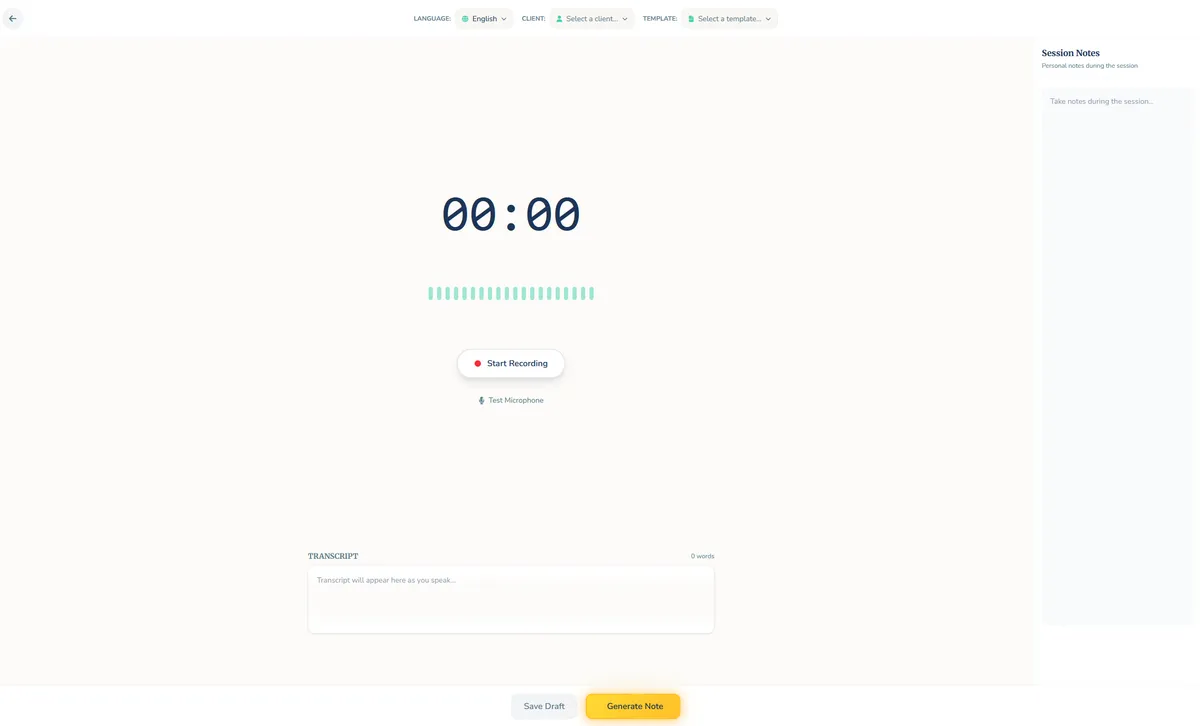
Therapist interface — Intelligent consultation
Session recording is at the heart of CogniNote. Two modes are available:
- In-person mode: the microphone captures the conversation, and the STT model distinguishes the patient’s voice from the therapist’s through speaker diarization
- Teleconsultation mode: browser audio stream capture via tab sharing (“Share audio”), with separate patient/therapist streams
During the session, the therapist has access to:
- A timer and real-time audio spectrum
- Live transcription of the conversation
- Language, client and template selection before recording
- A personal notes panel for annotations during the session
flowchart LR
    Mic[🎙️ Mic / Tab Audio] --> STT[STT + Speaker<br/>Diarization]
    STT --> Trans[📝 Transcription]
    Trans --> Template[📋 Selected<br/>Template]
    Template --> LLM[🤖 LLM]
    LLM --> Summary[📄 Structured<br/>Summary]
    Summary --> Dims[📊 Well-being<br/>Dimensions]
    Dims --> Reco[💡 Recommendations]
Session summaries & template system
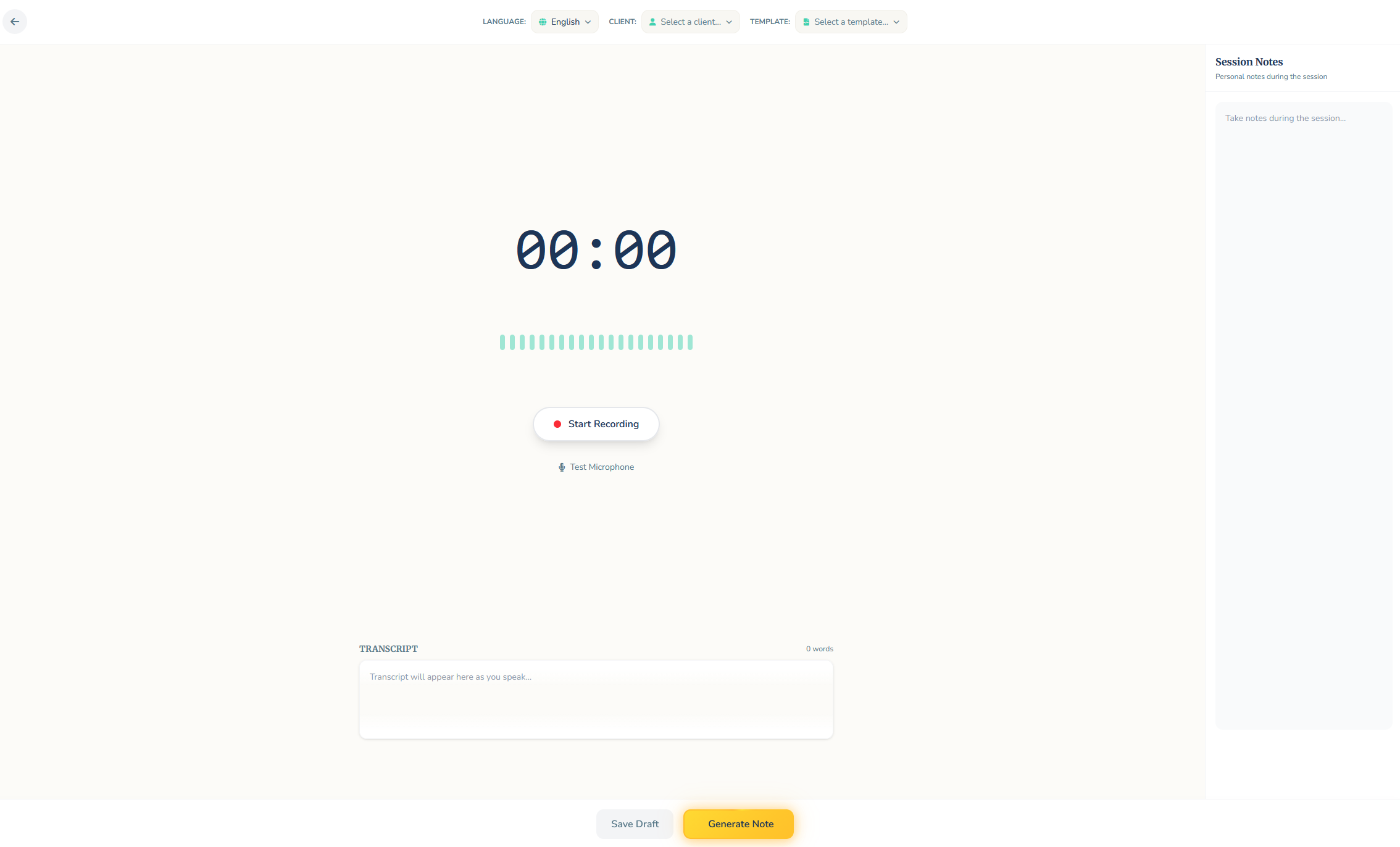
At the end of each session, a structured summary is automatically generated by the LLM from the transcription. Several predefined formats are available:
| Format | Description |
|---|---|
| SOAP | Subjective, Objective, Assessment, Plan |
| DAP | Data, Assessment, Plan |
| BIRP | Behavior, Intervention, Response, Plan |
| Free Form | Custom free-form format |
The system includes a custom template editor with a block-based interface (drag & drop sections). Under the hood, each template generates a markdown prompt that guides the LLM in structuring the summary.
Additional features:
- AI enhancement (“Enhance with AI”) for manual notes
- Electronic signature from the therapist
- PDF export and printing
Sentiment analysis & 8 well-being dimensions
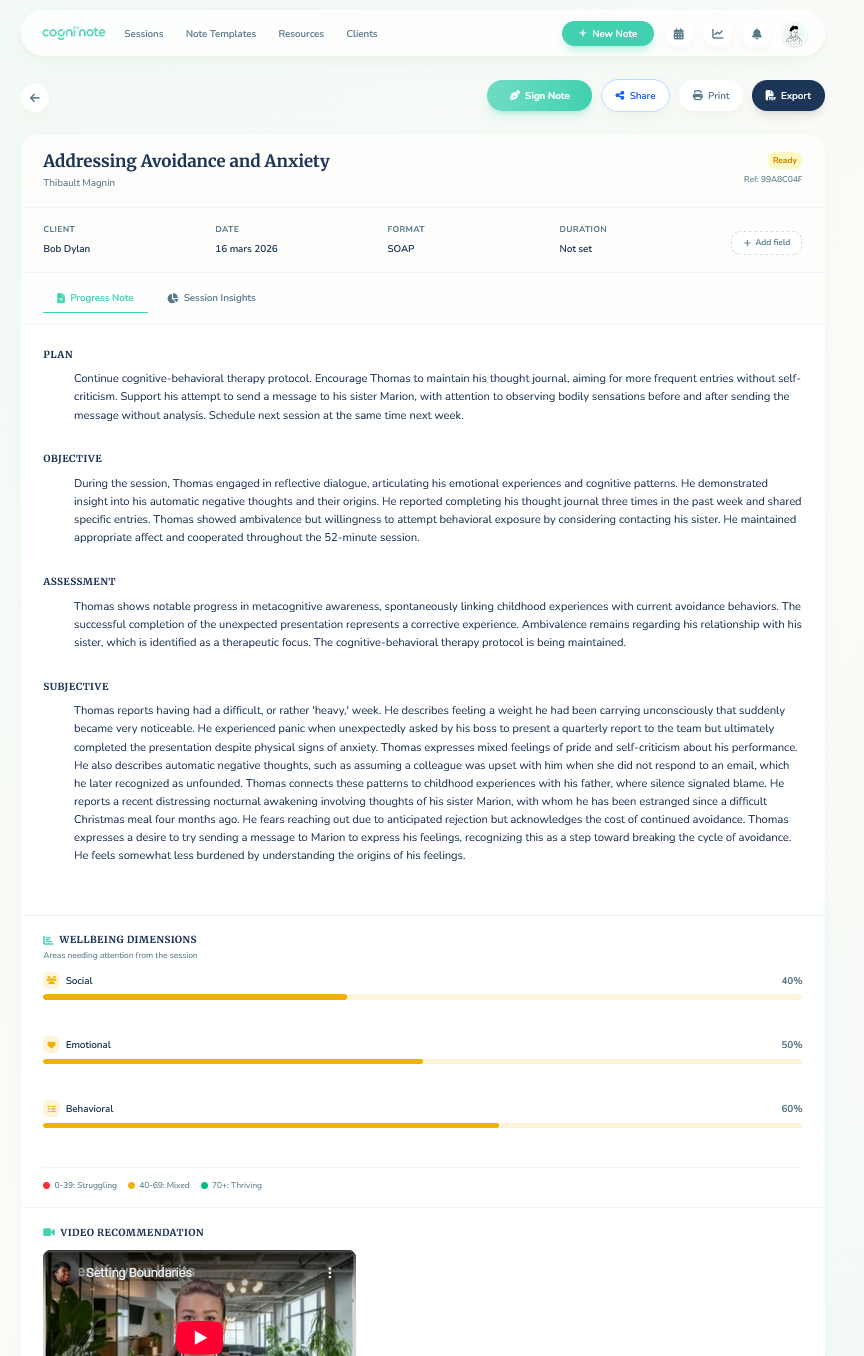
Each transcription is automatically analyzed across 8 well-being dimensions:
- Emotional
- Behavioral
- Physical
- Social
- Environmental
- Professional
- Spiritual
- Financial
Results are visualized through progress bars and a radar chart (Chart.js), allowing the therapist to track patient progress across sessions.
flowchart LR
    T[📝 Transcription] --> SA[🔍 Sentiment<br/>Analysis]
    SA --> Score[📊 Scoring<br/>8 Dimensions]
    Score --> Viz[📈 Visualization<br/>Radar + Bars]
    Score --> Reco[💡 Personalized<br/>Recommendations]
RAG system & resource recommendations
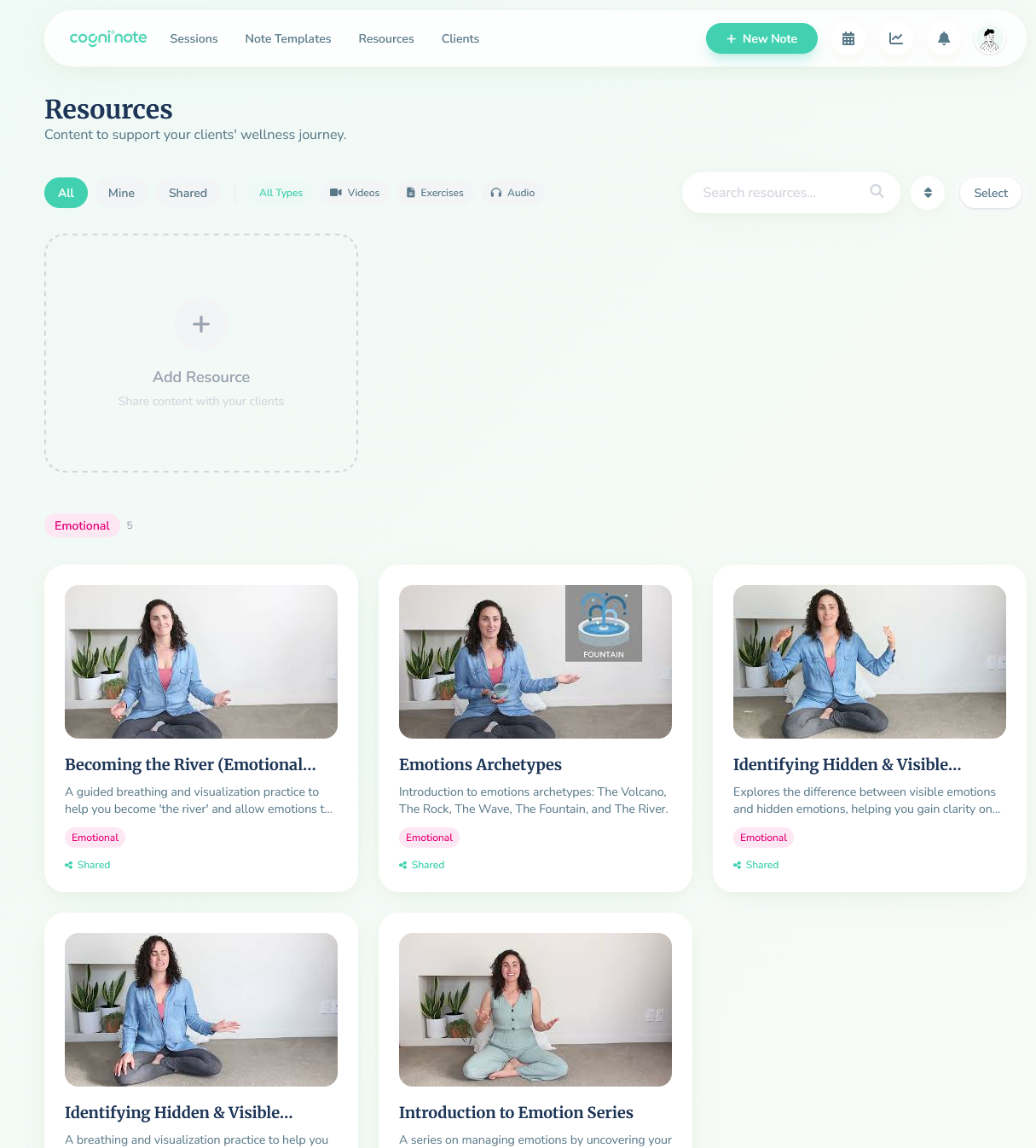
CogniNote integrates a library of videos, audio and exercises from professionals, tagged by well-being dimension. The recommendation system is powered by a RAG pipeline:
- Vector embeddings for resource classification
- Personalized recommendations based on the dimensions identified in the patient’s session
- Support for YouTube, file uploads (audio/video) and text-based exercises
- Optional triage questions after viewing to assess understanding
Patient interface — Between-session follow-up
The patient has their own dedicated space:
- Account creation via therapist invitation or self-registration
- Receive assigned homework (videos, exercises to complete)
- Daily chatbot (voice or text): a daily check-in on the patient’s thoughts and progress
- Initial assessment with dimension-based scoring (radar chart)
The goal is to maintain patient engagement between sessions and provide the therapist with continuous data on their patient’s well-being.
Technical architecture & infrastructure
flowchart TB
    subgraph Frontend
        VUE[Vue.js + Tailwind CSS]
        CHART[Chart.js]
    end
    subgraph Backend
        FAST[FastAPI + Python]
        REST[REST API]
    end
    subgraph AI Services
        STT_S[🎙️ STT + Diarization]
        LLM_S[🤖 LLM]
        RAG_S[📚 RAG]
        SENT[📊 Sentiment Analysis]
    end
    subgraph Data
        PG[(PostgreSQL)]
        VEC[(Vector Store)]
    end
    subgraph Infra
        AZ[☁️ Azure]
        CI[CI/CD Pipelines]
    end

    VUE --> REST
    REST --> FAST
    FAST --> STT_S
    FAST --> LLM_S
    FAST --> RAG_S
    FAST --> SENT
    FAST --> PG
    RAG_S --> VEC
    AZ --> FAST
    CI --> AZ
| Layer | Technologies |
|---|---|
| Frontend | Vue.js, Tailwind CSS, Chart.js |
| Backend | FastAPI, Python, REST API |
| Database | PostgreSQL |
| Vectorization | Embeddings + vector store (RAG) |
| AI / ML | LLM (summaries, chatbot), STT (transcription, speaker diarization), sentiment analysis |
| Infrastructure | Azure (hosting, deployment) |
| CI/CD | Automated pipelines |
| Testing | Unit + end-to-end |
| Security | HIPAA/GDPR, electronic signature, email verification |
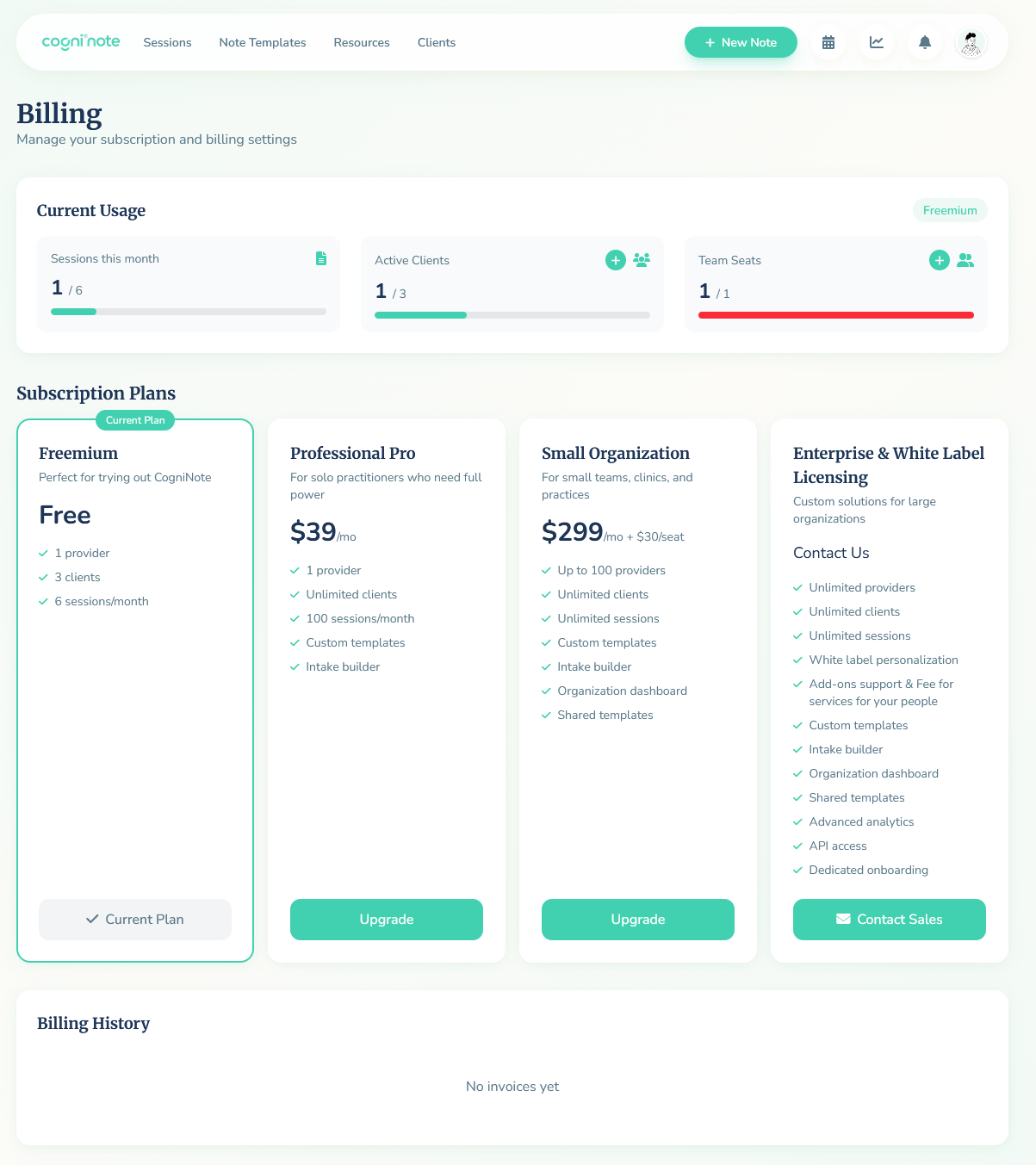
| SaaS | Multi-tenant, organizations, team management, subscription plans |
My role & contributions
- Design and UI of the platform (Vue.js + Tailwind CSS)
- Full backend development (FastAPI, REST API)
- Deployment and management on Azure
- CI/CD pipeline setup
- Unit and end-to-end testing
- Working as a duo with a friend — building the SaaS from scratch in 3 months
Takeaways & learnings
- Building a complete production SaaS: multi-tenant, billing, team management, subscription plans
- Mental health domain: HIPAA/GDPR constraints, patient data sensitivity
- Integrating multiple AI services into a cohesive product (STT, LLM, RAG, sentiment analysis)
- Cloud deployment and maintenance experience on Azure with CI/CD